
Every website is like a city, and internal links are the pathways that connect its neighborhoods. Without them, your site can feel like a maze—confusing to navigate and tough for search engines to map out.
But with a well-planned linking strategy, you can turn a complex network into a seamless journey that draws visitors in and keeps them exploring.
So, what exactly are internal links?
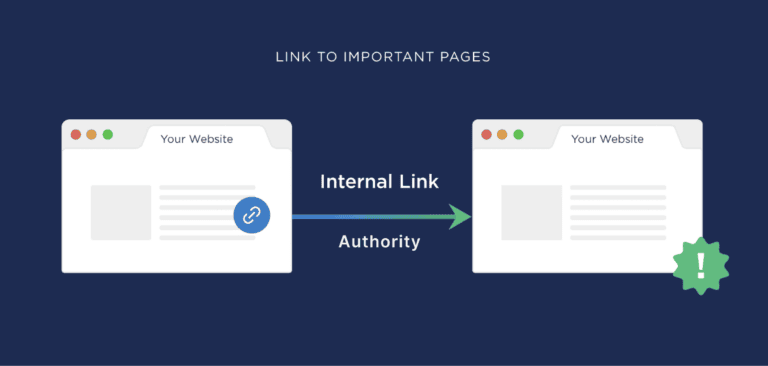
Simply put, internal links are hyperlinks that connect different pages within the same website. They guide users from one page to another, ensuring that visitors can easily find related content and navigate through your site without frustration.
But why do internal links matter for SEO?
They play a vital role in enhancing user navigation, making it easier for visitors to discover new content while keeping them engaged. Moreover, internal links help search engines understand your site’s structure and hierarchy, signaling which pages are most important.
Let’s explore the ins and outs of internal linking and how it can elevate your website’s SEO performance.
The Hidden Rewards of Smart Internal Linking
 backlinko.com
You might think of internal linking as just another task on your website to-do list, but hold on—it’s actually a secret superpower waiting to be unleashed! When you wield this power strategically, you can elevate your website’s SEO and spark genuine interest among your visitors.
Let’s dive into the benefits that come from mastering the art of internal linking.
Improved User Experience
blog.hubspot
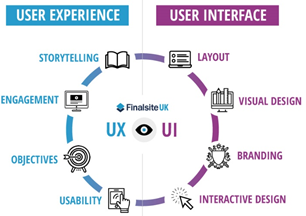
People who end up at your website are mostly with a purpose, seeking some details or materials. Internal links assist them in moving through the website to other sections that might interest them, enhancing the overall user experience.
Studies show that 88% of customers are less likely to make repeat visits to a site with poor UX. So, by investing in a well-structured internal linking strategy, you’re not only helping users navigate your site but also boosting the likelihood of their return!
Enhanced SEO Performance
semrush.com/blog
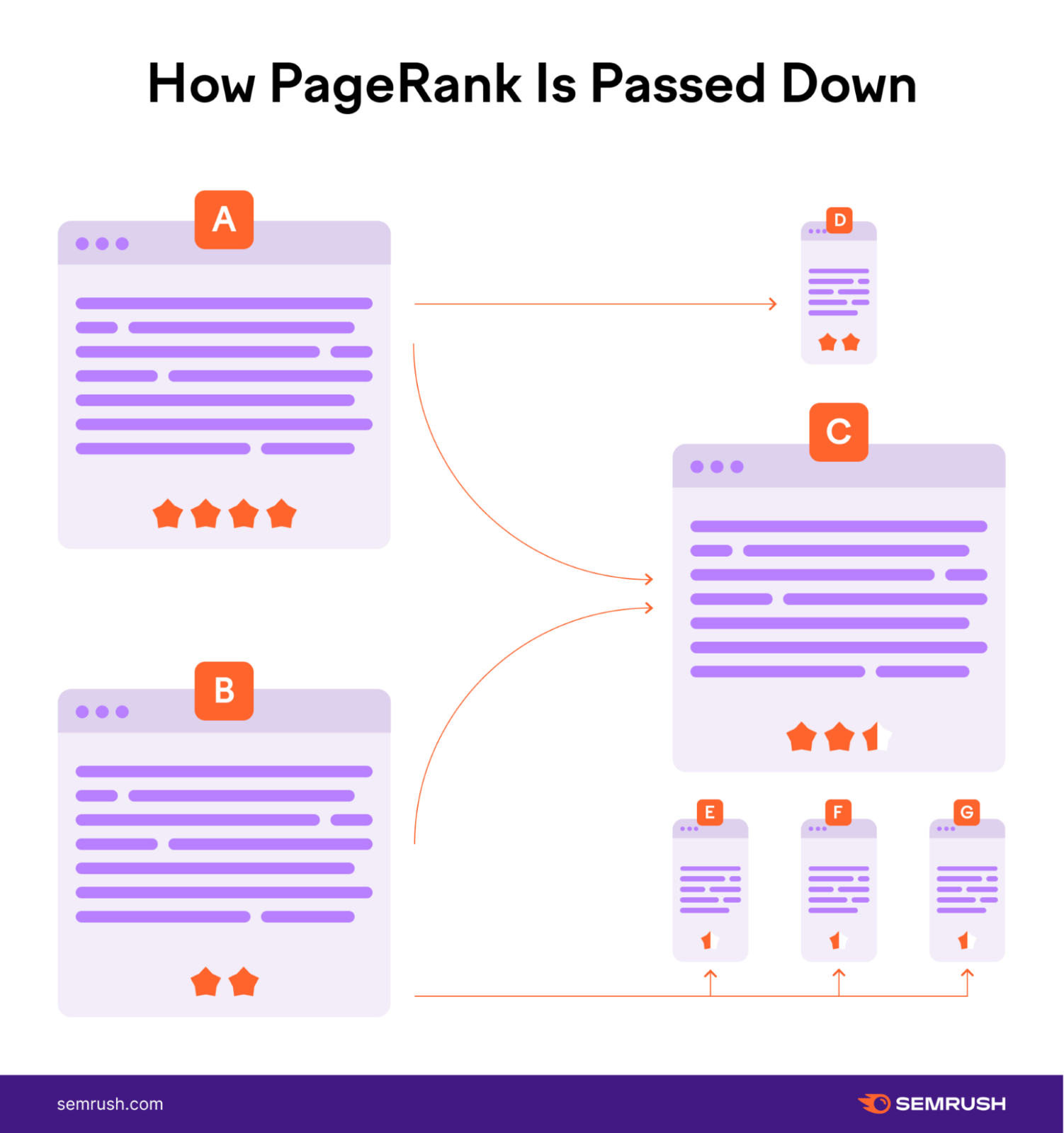
From an SEO perspective, internal links are like guideposts for search engines. They help search algorithms understand your site’s structure and determine the importance of each page.
When search engines crawl a website, internal links show them which pages are prioritized, making it easier to index and rank them.
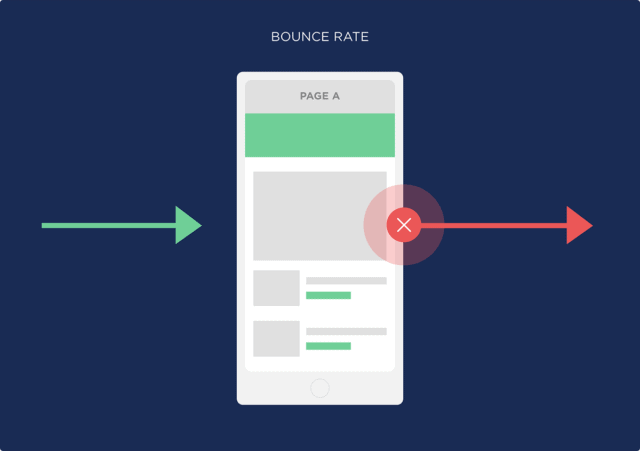
Reduced Bounce Rate
 backlinko.com
Internal links can also reduce your website’s bounce rate by encouraging visitors to stay longer and explore more content.
Since it is estimated that the average bounce rate ranges from 41% to 55%, having a clear internal linking plan helps to reduce those numbers.
Mapping Your Site for Effective Internal Link Flow
Building an effective internal linking structure is like laying the groundwork for a well-planned city—one where every path leads to new adventures.
So, how do you create a clear and engaging structure that harnesses the true power of internal links?
Here are a few steps.
1. Setting Up a Logical Hierarchy
 semrush.com/blog
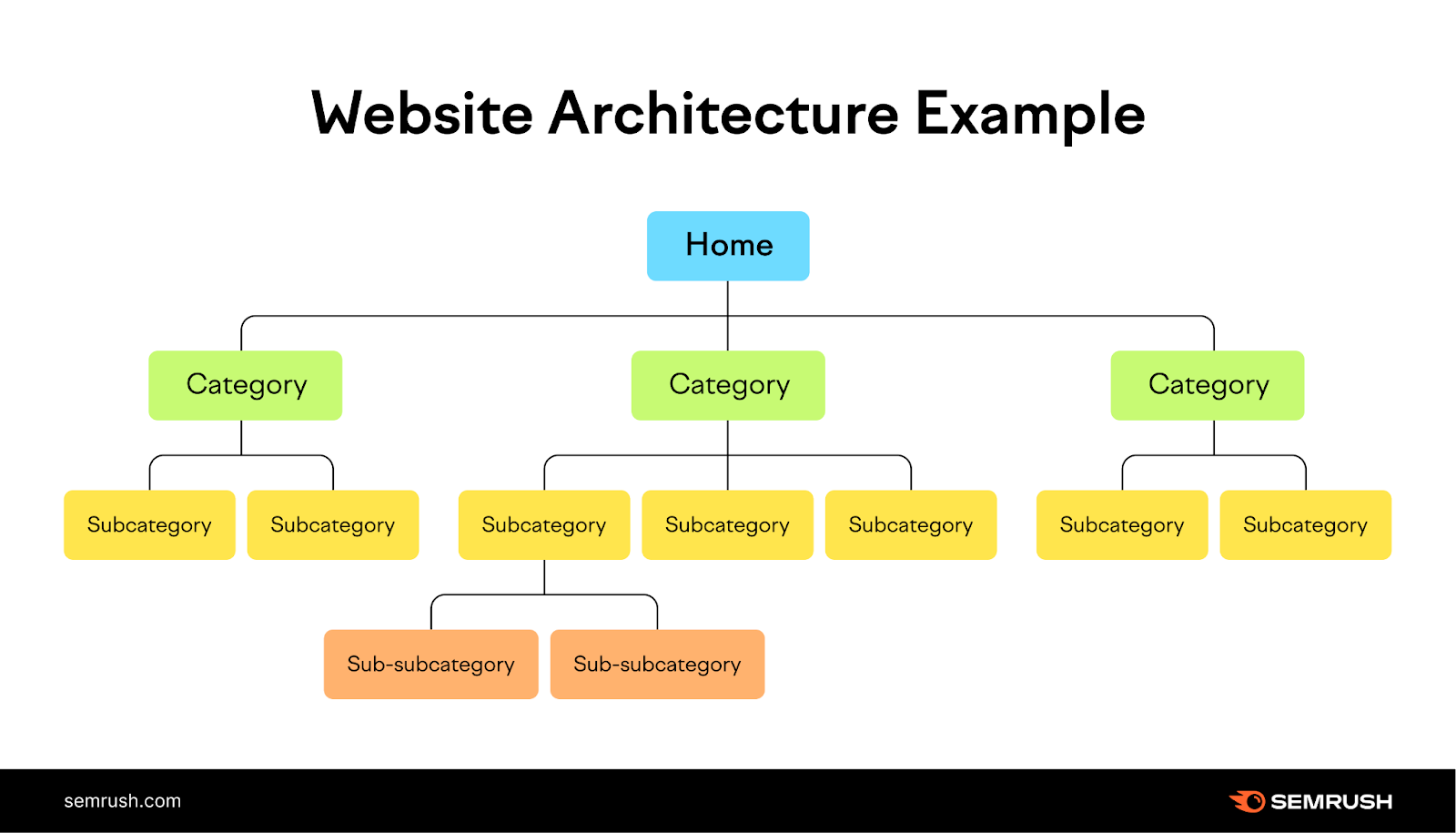
Internal linking is best built on a logical site hierarchy, which is like a strong tree supporting vibrant leaves. You should imagine your website as this great tree where the major categories are the sturdy trunk of the tree and the subcategories are the branches.
The pages or articles should fit well under their respective categories to form a logical organization plan that is easy for the users and search engines to follow.
After all, 34.6% of visitors abandon a site if its content structure is poor. Also, do not forget that 73.1% of users leave sites with non-responsive designs —if your tree doesn’t have strong branches, those leaves will surely fall!
2. Using Pillar Pages and Topic Clusters
 theblogpilot.com/blog
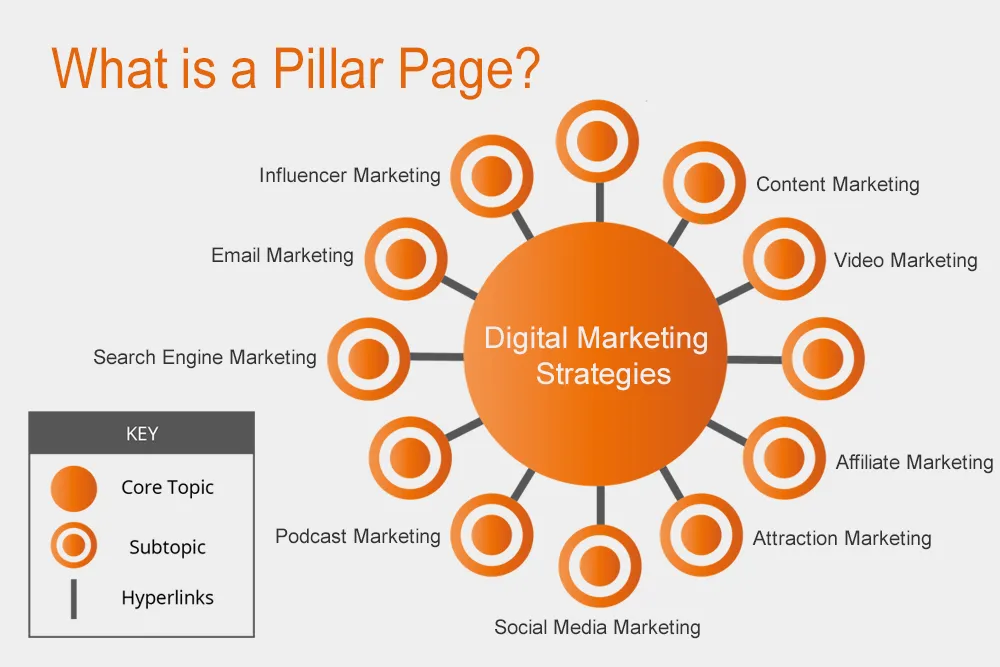
There are two primary ways to improve internal linking, which are pillar pages and topic clusters. A pillar page is an overarching guide for a main topic, with linked posts or topic clusters exploring related subtopics.
For instance, a pillar page on “Digital Marketing” might link to clusters on “SEO,” “Content Marketing,” and “Social Media.” This setup enhances the user flow on your site while helping SEO since search engines view your site as a well-structured source of information on the topic.
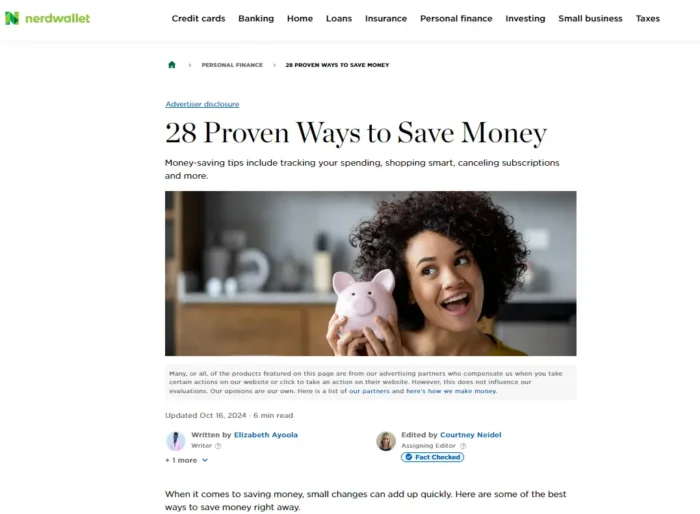
Let’s have a look at an example of a great pillar page:
 Neilpatel.com/blog
As an example, NerdWallet has created a perfect pillar page on how to save money that serves as a shining model of proper content structuring.
What makes this pillar page successful?
- High Search Intent: It attracts users who are searching for something – a solution – making traffic more targeted.
- User Engagement: Through offering practical information, NerdWallet engages viewers and ensures they stick around.
- Authority Building: This informative guide sets out NerdWallet as a reliable source for personal finance, hence winning the trust of the readers.
- Effortless Updating: The content on the website can be updated with new statistics and trends, which makes the content of the website useful and up-to-date.
Link Smarter, Not Harder: Internal Linking Best Practices
Unlocking the full potential of your website hinges on one powerful element: effective internal linking strategies.
However, how do you turn your links into attractive pathways that will enrich the usability of your site and improve its performance?
Let’s dig deeper into how to create the best internal linking strategy ever!
1. Anchor Text Optimization
blog.hubspot.com
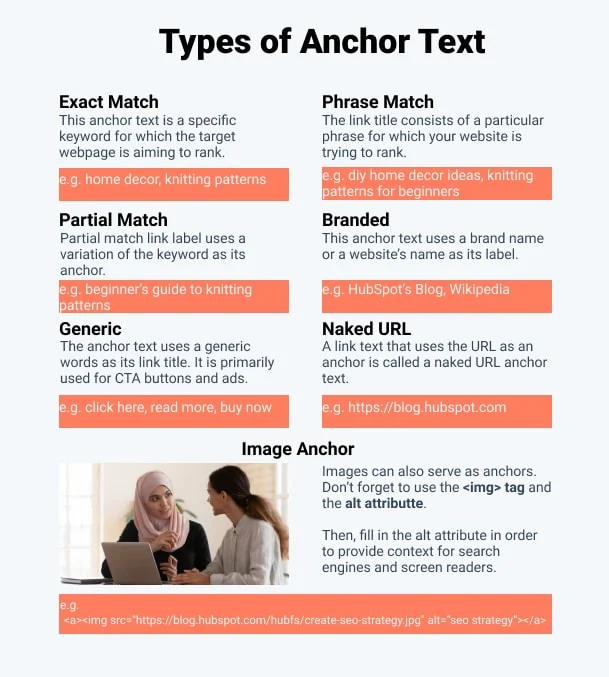
Anchor text is like road maps of the internet; they help both the user and search engines to navigate to points of interest. Instead of settling for generic phrases like “click here,” think of them as a way to entice and educate the user on the next step to take.
For instance, if the link points to a guide on effective SEO techniques, the anchor text, such as ‘mastering SEO strategies, ’ not only encourages curiosity but also lets search engines know explicitly what the user is likely to encounter once they click on the link.
Keyword-rich anchor texts do help in SEO, but they should be used prudently. In fact, studies show that a balanced approach is best: using the keyword in the anchor text still sends relevancy signals to the search engines, provided that it is done in moderation.
2. Linking to High-Value Pages
To achieve the best results with internal linking, it is crucial to focus on linking to your best and most valuable content, such as top-performing blog posts, popular product pages, and valuable resource pages.
From the Backlinko report, it is clear that pages with more internal links related to the query benefit from better visibility since these links strengthen the internal link of a website and help distribute link equity.
Here’s a real-time case study showing how effective internal linking can boost a site’s search rankings and organic traffic.
 nichepursuits.com
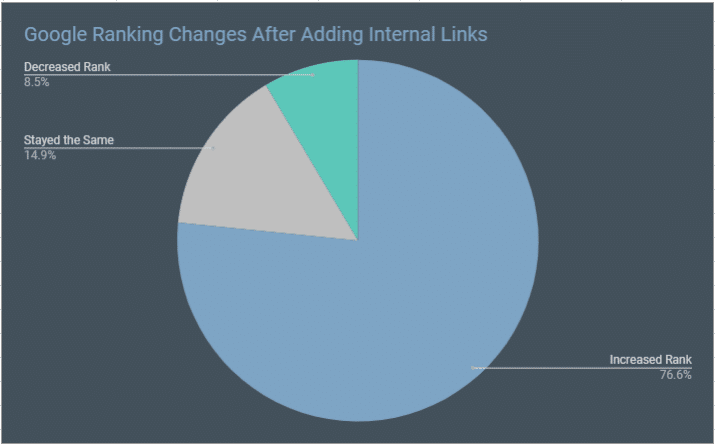
In one example, OwnTheYard.com added 108 internal links across 47 articles, targeting posts with room to improve rankings and relevance for specific keywords. This strategy was highly effective: 76.6% of the pages saw an increase in Google rankings, while only 8.5% experienced a decrease.
In fact, several articles made significant jumps, moving from the third or fourth pages on Google to the top rankings. As a result, traffic to the site rose substantially, from around 1,200 page views per day to nearly 6,000, illustrating how targeted internal linking can enhance organic search visibility and site engagement.
3. Avoiding Overlinking
 semrush.com/blog
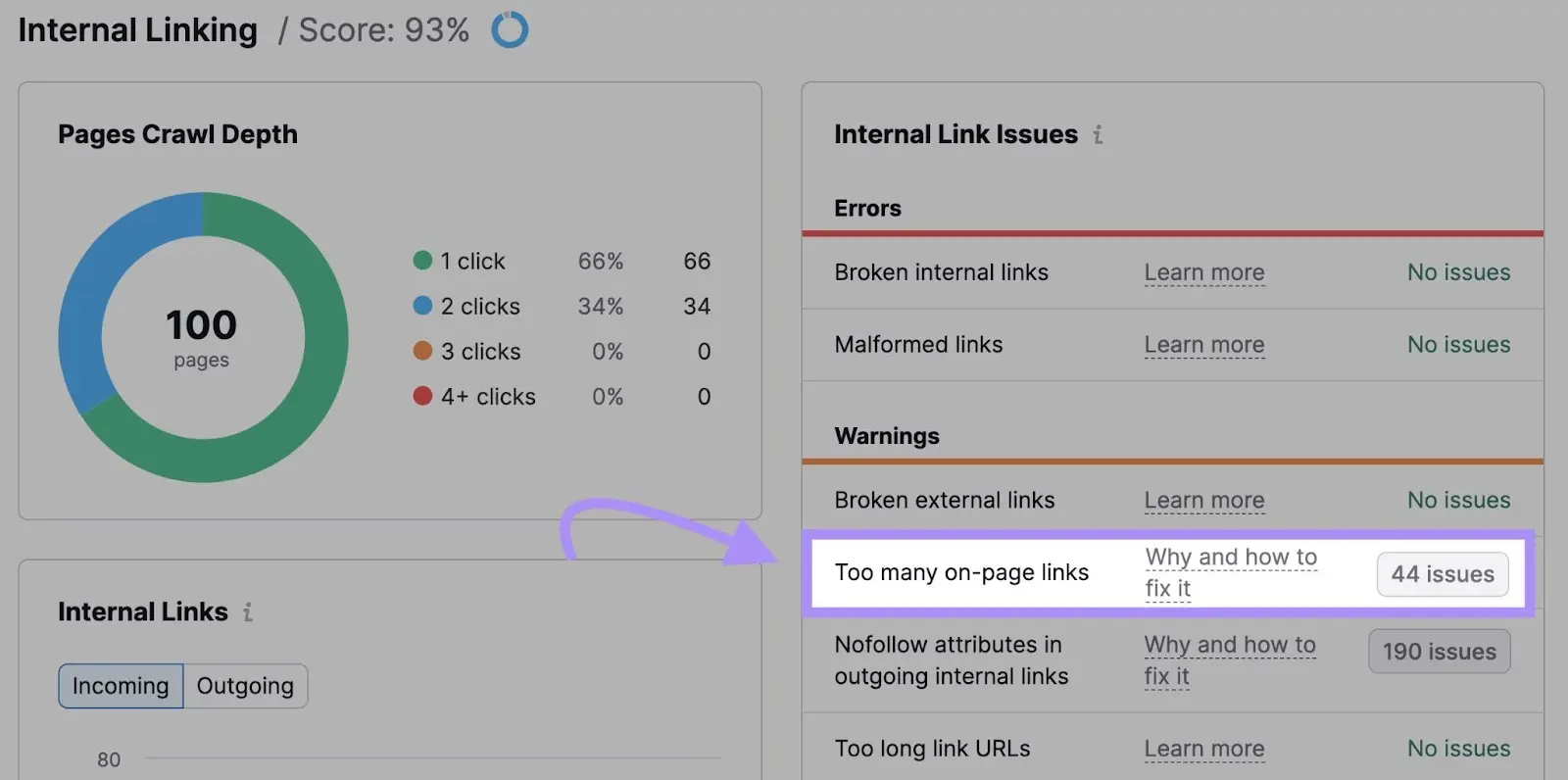
When it comes to internal linking, it is also important to note that the number should be moderate. Linking excessively within the site could pose challenges both to the reader, and the search engines since the relative importance of the pages becomes less clear.
Google’s John Mueller stresses that linking on a single page can become a problem if it is overdone, which will lead to reduced SEO significance of the links, confusing site structure, and lesser relevance and importance of the links.
Studies show that when internal links are strategically placed and relevant, the SEO of the site increases because users and search engines can navigate their route through the content.
Don’t Fall into These Internal Linking Traps
Internal links are one of the most effective ways of enhancing the performance of your website, but could simple mistakes hinder that growth?
Let’s discover some mistakes that can trip up even successful strategies— and learn how to avoid those.
1. Using Generic Anchor Text (“Click Here”)
One of the main pitfalls of internal linking is the use of meaningless anchor text such as “click here” or “read more.” Try to picture yourself on a website where even links give no hint as to what will open—it is merely inconvenient for the audiences and doesn’t contribute to SEO in any way.
When anchor text lacks context, users are left to wonder, and the search engines fail to get the signals they require to interpret and position your content. Instead, it is recommended to use the descriptive anchor text containing keywords relevant to the linked page.
For instance, linking with “discover top SEO strategies for 2024” not only tells what the reader will get but also contributes to better SEO because the relevance of the page to a search engine is indicated.
2. Neglecting to Link to Older Content
Another of the most typical mistakes that can be made is not to pay attention to older but still quite relevant content. But did you know that updating the old posts and linking to them can boost traffic by as much as 106%?
It is important not to dismiss a post simply because it has been around for a while: relevance is timeless! Thus, linking back to such evergreen pages helps to keep them in the foreground and helps users find valuable information in your archives.
3. Leaving Pages Orphaned
 semrush.com/blog
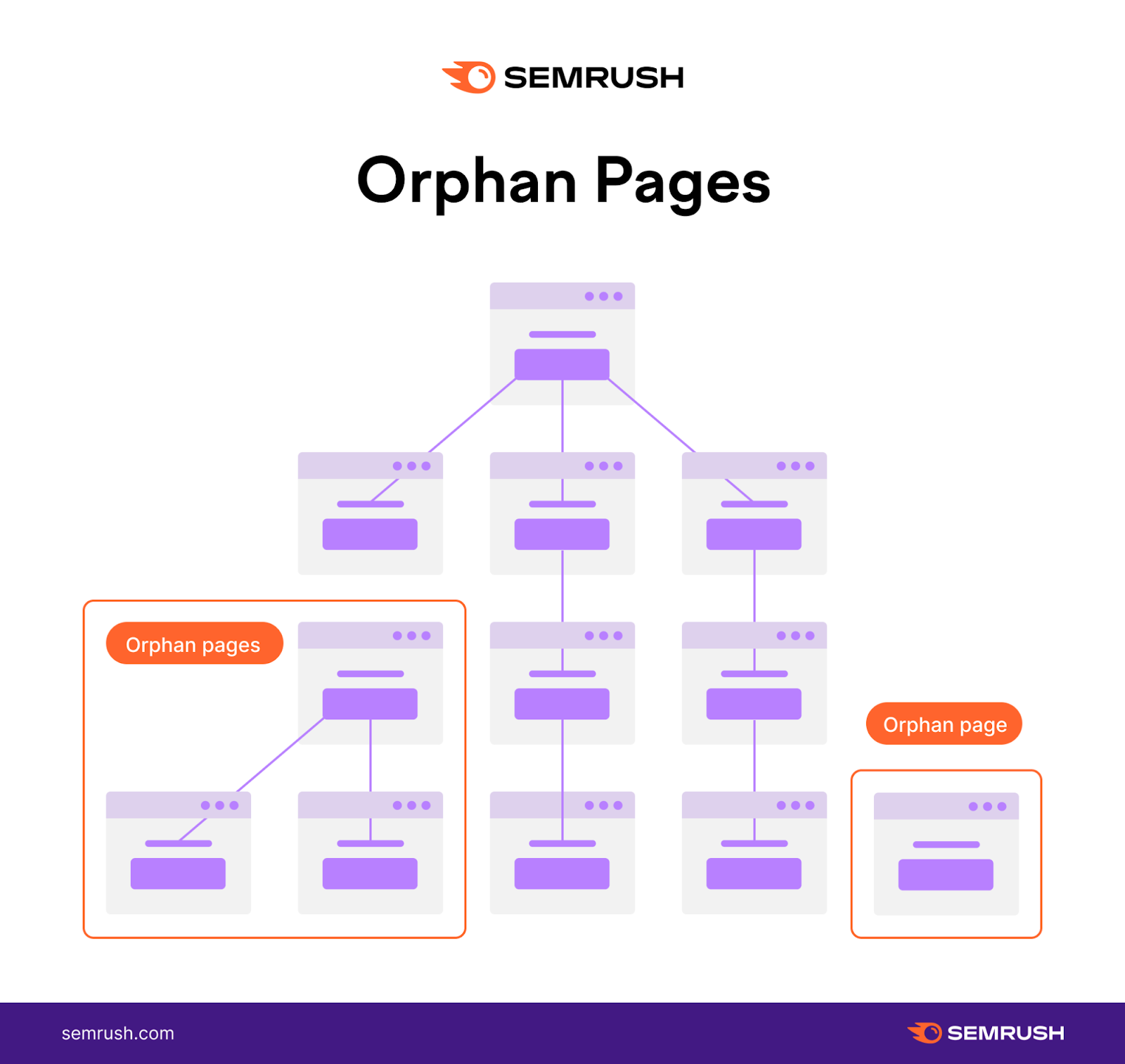
Orphan pages are like secret chambers in a mansion; nobody knows they exist, and even if people know, it is difficult for them to know where these are located. These hidden pages do not benefit from traffic and other SEO perks, fading into oblivion of your website’s visibility.
To ensure that no page is left unvisited, you could use a SEO audit to discover and prevent any orphans. This way, you will create a well-connected web and attract more visitors while increasing usability and relevance for your site, not leaving any nook or cranny of your site without the attention it deserves.
Here’s how to bring those orphan pages into the spotlight:
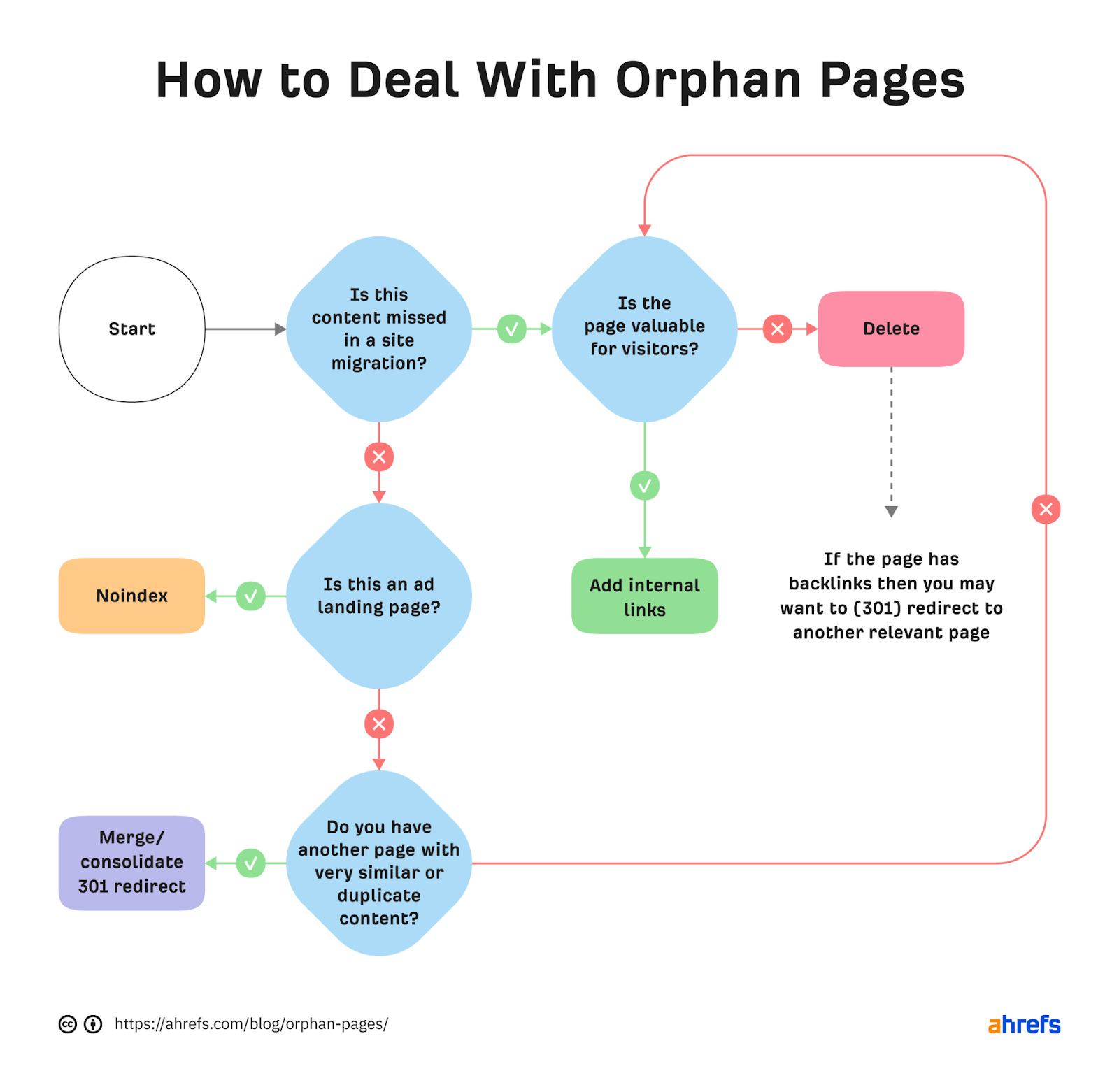 ahrefs.com/blog
The Road to Enhanced User Experience Begins with Internal Links
Internal linking isn’t just an SEO optimization process; it’s a way to make your website more user-friendly and engaging.
Are you using it to its full potential?
One can take advantage of aspects such as anchor text, linking to your most valuable pages, and possessing a sensible site structure to consider both the user and the search engine.
Now is an excellent time to pause and evaluate your current tactics. Are there thoughtful adjustments that can be made to enhance your visitors’ engagement and satisfaction level?
Start refining your internal links today and see your users and SEO strategy blossom and flourish!

About the author: Vibhav Gaur, Business Head
Vibhav Gaur leads strategic operations and business growth at the organization. With a strong background in digital transformation and customer-focused solutions, he has helped numerous clients streamline their web presence and scale efficiently. His leadership ensures seamless execution across teams, with a commitment to delivering results and fostering innovation in every project.


